
Samsung S90F Manual and Installation Guide (AI Smart TV)
The Samsung S90F OLED 4K Smart TV delivers an immersive viewing experience with self-illuminating OLED pixels, rich contrast, and vibrant colors. Its 4K resolution of 3,840 x 2,160 provides sharp, detailed images, while the NQ4 AI Gen3 Processor uses advanced AI processing to optimize picture quality and enhance lower-resolution content with 4K AI Upscaling Pro. With OLED HDR+, HDR10+ Adaptive and Gaming support, and Color Booster Pro, this TV produces bright highlights, deep blacks, and vivid colors across a wide range of content. Real Depth Enhancer, Ultra Viewing Angle, and AI-powered picture optimization help maintain impressive image quality from different viewing positions.
For fast-moving content and gaming, the Samsung S90F features Motion Xcelerator 144Hz, supporting refresh rates of up to 144Hz. Gamers can enjoy 4K 144Hz, VRR, FreeSync Premium Pro, ALLM, Game Motion Plus, Dynamic Black EQ, Super Ultra Wide Game View, and Game Bar features. AI Auto Game Mode automatically optimizes settings to provide a smoother and more responsive gaming experience. The TV also delivers powerful audio with 40W 2.1-channel sound, Dolby Atmos, and Object Tracking Sound Lite (OTS Lite). Active Voice Amplifier Pro and Adaptive Sound Pro help optimize dialogue and audio according to the content, while Q-Symphony allows compatible Samsung TVs and soundbars to work together for a more immersive sound experience.
Powered by Tizen Smart TV, the S90F provides convenient access to smart entertainment, web browsing, Bixby voice control, and SmartThings connectivity. Multi-View supports up to two videos at once, while features such as AirPlay, Tap View, TV-to-mobile connectivity, and wireless TV control make it easy to connect and share content across compatible devices. Connectivity includes four HDMI ports with 4K 144Hz support, two USB-A ports, LAN, optical audio output, eARC, Wi-Fi 5, and Bluetooth 5.3, making it well equipped for home entertainment, gaming, and connected smart-home use.
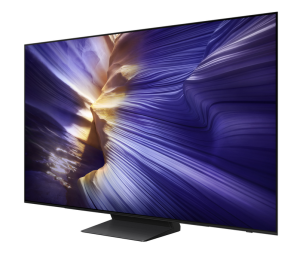
Samsung S90F 4K OLED Vision AI TV Features
- 4K OLED Display Up to 144Hz (OLED HDR+)
- NQ4 AI Gen3 Processor — AI-powered picture enhancement and upscaling.
- Color Booster Pro , Gaming Ready, 40W Dolby Atmos Sound
- Tizen Smart TV — Easy access to apps, streaming, Bixby, and SmartThings.
- 4 HDMI + 2 USB — Flexible connectivity with 4K 144Hz support.
Samsung S90F Series Manual Download
Read this S90F manual thoroughly to ensure you know how to safely and efficiently operate your appliance’s features and functions. You can download the Samsung S90F user manual by clicking the link below.
Samsung S90F 4K OLED Vision AI TV User Manual Download
File Name: BN81-27185D-680_EUG_ROPDVBAAF_ASIA_ENG_250804.0.pdf
Size: 3.27 MB
Description: See information about product safety, installation, accessories, initial configuration, and product specifications.
Samsung S90F Installation Guide Download
File Name: BN68-21621F-00_IG_S90F QD 55-65inch_WW_L10_250103.0.pdf
Size: 0.72 MB
Description: Unpacking the TV and Installation Guide.
If you face a problem when operating the Samsung S90F TV, please read the User Manual and Installation Guide.