
Samsung M5 M50F Manual and Product Guide
The Samsung Smart Monitor M5 M50F 32-inch combines monitor functionality with smart entertainment features, making it suitable for both work and leisure. Its Full HD (1,920 x 1,080) resolution, VA panel, and 3,000:1 contrast ratio deliver clear visuals with rich contrast and detailed images. With HDR10 support, 250 cd/㎡ brightness, and a 178-degree wide viewing angle, it provides a comfortable viewing experience from different positions. Its integrated 10W speakers with Adaptive Sound deliver audio that adjusts to the content.
Designed for everyday comfort and convenience, the monitor features Eye Saver Mode and Flicker Free technology to help reduce eye strain during extended use. It also includes two HDMI ports and two USB-A ports for connecting compatible devices. Finished in a sleek black design with a simple stand, the Samsung Smart Monitor M5 M50F is a versatile display that brings productivity and entertainment together in one device.
Powered by Tizen OS, the Smart Monitor M5 offers access to smart entertainment features, including Samsung TV Plus, Universal Guide, and Gaming Hub in supported regions. Built-in Wi-Fi 5 and Bluetooth 5.2 provide convenient wireless connectivity, while Multi Device Experience enables mobile-to-screen sharing, sound mirroring, and wireless connections.
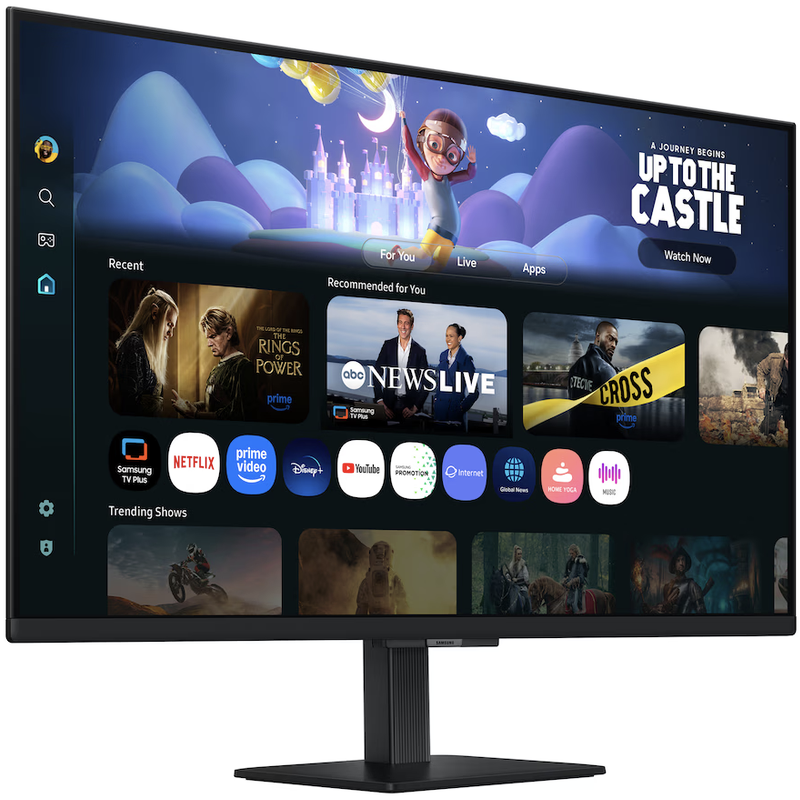
Samsung Smart Monitor M5 M50F FHD Features
- Full HD (1,920 x 1,080) VA Display, HDR10 for Enhanced Picture Quality
- 10W Speakers with Adaptive Sound, Eye Saver Mode and Flicker Free Technology
- Smart TV Experience Powered by Tizen OS, Samsung TV Plus and Universal Guide
- Built-in Wi-Fi 5, Bluetooth 5.2, 2 HDMI Ports and 2 USB-A Ports
Samsung Smart Monitor M5 M50F Series Manual Download
Read this Smart Monitor M5 M50F manual thoroughly to ensure you know how to safely and efficiently operate your appliance’s features and functions. You can download the Samsung M70F user manual by clicking the link below.
Samsung Smart Monitor M5 M50F FHD User Manual Download
File Name: BN81-27566A-680_EUG_SMGROPAKF_NA-SA-KR_ENG-US_260807.0.pdf
Size: 4.48 MB
Description: See information about product safety, installation, accessories, initial configuration, and product specifications.
Samsung Smart Monitor M5 M50F Product Guide Download
File Name: BN81-27691C-02_WPG_M-Series-Y24 Y25_NA LATIN_ENG_260731.0.pdf
Size: 1.64 MB
If you face a problem when operating the Samsung Smart Monitor M5 M50F Monitor, please read the User Manual and Installation Guide.