
Samsung M7 M70F Manual and Software Installer
The Samsung M7 M70F Smart Monitor combines stunning 4K UHD resolution with smart entertainment and productivity features in a sleek 32-inch display. Its VA panel delivers sharp, detailed visuals with a 3,000:1 static contrast ratio, 300 cd/㎡ brightness, and HDR10 support for enhanced picture quality. With a 60Hz refresh rate and 4ms response time, it provides smooth and responsive performance for everyday work, entertainment, and casual gaming.
Powered by Tizen OS, the Samsung M7 M70F offers a smart entertainment experience with access to Samsung TV Plus, Gaming Hub, and built-in voice assistants, including Bixby and Alexa. Features such as Adaptive Picture, Adaptive Sound+, and Multi View make it easy to enjoy content and multitask. Eye Saver Mode and Flicker Free technology help provide a more comfortable viewing experience during extended use.
Designed for versatile everyday use, the Samsung Smart Monitor M7 M70F 4K Smart Vision features two HDMI 2.0 ports, three USB ports, and one USB-C port with up to 65W charging power. Built-in Wi-Fi 5 and Bluetooth 5.2 provide wireless connectivity. It also supports SmartThings Hub, wireless screen mirroring, and Workspace for convenient connectivity and productivity.
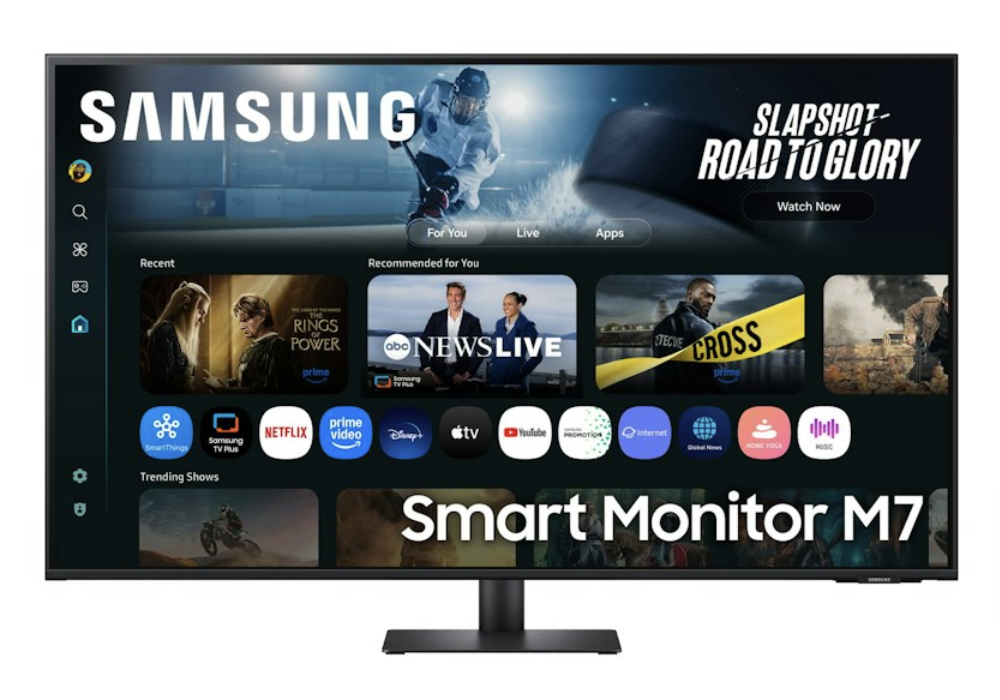
Samsung Smart Monitor M7 M70F 4K Smart Vision AI Features
- 4K UHD (3,840 × 2,160) resolution
- VA panel with 3,000:1 static contrast ratio
- HDR10 for enhanced picture quality
- with built-in smart entertainment
- Tizen OS and Samsung TV Plus and Gaming Hub
- SmartThings Hub and Multi View support, Bixby and Amazon Alexa voice assistants
- USB-C connectivity with up to 65W charging, Wi-Fi 5 and Bluetooth 5.2
Samsung Smart Monitor M7 M70F Series Manual Download
Read this Smart Monitor M7 M70F manual thoroughly to ensure you know how to safely and efficiently operate your appliance’s features and functions. You can download the Samsung M70F user manual by clicking the link below.
Samsung Smart Monitor M7 M70F 4K Smart Vision AI User Manual Download
File Name: BN81-27566A-680_EUG_SMGROPAKF_NA-SA-KR_ENG-US_260807.0.pdf
Size: 4.48 MB
Description: See information about product safety, installation, accessories, initial configuration, and product specifications.
Samsung Smart Monitor M7 M70F 4K Smart Vision AI Installation Software Download
File Name: M70F_S32FM70xU.exe
Size: 3.43 MB
If you face a problem when operating the Samsung Smart Monitor M7 M70F Monitor, please read the User Manual and Installation Guide.