
Samsung MultiXpress CLX-9301NA Driver and User Guide
The Samsung MultiXpress C9301NA is a high-performance A3 color multifunction printer built to meet the demands of busy offices and workgroups. Combining fast printing, high-quality output, and advanced scanning capabilities, it provides a reliable solution for businesses that require efficient document management and consistent productivity. The printer is designed for high-volume environments with a standard paper capacity of 1,140 sheets, consisting of two 520-sheet paper trays and a 100-sheet multipurpose bypass tray. For businesses with greater printing demands, the paper capacity can be expanded up to 2,180 sheets, reducing the need for frequent paper replenishment.
With print speeds of up to 30 pages per minute in both color and black & white (A4/Letter), the Samsung CLX-9301NA helps keep workflows running smoothly. It delivers professional-quality documents with a 1200 × 1200 dpi high-quality resolution and an effective resolution of 9600 × 600 dpi, producing sharp text and vibrant graphics. The first page is printed in as little as 9.5 seconds for monochrome and 11.5 seconds for color, minimizing wait times for users. For document digitization, the printer features a 100-sheet Duplex Automatic Document Feeder (DADF) and scans at speeds of up to 45 images per minute (ipm) in both color and monochrome at 300 dpi. Scanned documents can be sent directly to Email, USB, FTP, SMB, HDD, or PC, making it easy to distribute and archive files across different workflows. With a monthly duty cycle of up to 100,000 pages, it is engineered to handle demanding workloads with confidence.
Connectivity options on Samsung CLX-9301NA include Hi-Speed USB 2.0, USB Host, and Gigabit Ethernet (10/100/1000 Base-TX), allowing seamless integration into office networks and shared printing environments.
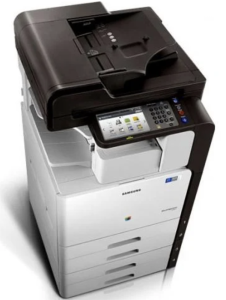
Samsung MultiXpress C9301 Series Features
Check below for technical features of the printer:
- Print technology: Color laser
- Paper Capacity: Standard 1,140 sheets (two 520-sheet trays and a 100-sheet bypass tray), expandable up to 2,180 sheets.
- Speed: Up to 30 pages per minute in both color and black/white (A4/Letter).
- Resolution: Up to 9600 x 600 effective dpi (real 1200 x 1200 dpi high quality).
- First Page Out: 9.5 seconds for mono and 11.5 seconds for color.
- Scan Speed: Up to 45 images per minute (ipm) in color and mono at 300 dpi.
- Scan Destinations: Scan to Email, USB, FTP, SMB, HDD, and PC.
- Document Feeder: Standard 100-sheet Duplex Automatic Document Feeder (DADF).
- Duty Cycle: Up to 100,000 pages per month.
- Interface: Hi-Speed USB 2.0, USB Host, and Ethernet 10/100/1000 Base-TX.
Read Also: Samsung CLX-9251 Driver and Manual
Download the Samsung CLX-9301NA Driver and Manuals
Before downloading and installing the Samsung CLX-9301NA driver, read this printer manual to set up your printer properly.
Samsung MultiXpress C9301 Series User Guide Download
Filename: c05786231.pdf
Download the Samsung CLX-9301NA Driver
Windows driver:
Samsung MultiXpress CLX-9301NA PCL6 Print Driver Download
Filename: CLX-92x1_93x1_Series_WIN_PCL_V3.12.29.07.51.exe
File Size: 41.8 MB
Version: V3.12.29.07.51
Samsung MultiXpress CLX-9301NA Scan Driver Download
Filename: CLX-92x1_93x1_Series_WIN_Scanner_V3.31.19.13.exe
File Size: 22.6 MB
Version: V3.31.19.13
macOS driver:
Samsung MultiXpress CLX-9301NA Printer driver for MacOS Download
Filename: CLX-92x1_93x1_Mac_PrinterDriver_V1.27.00.zip
File Size: 7.4 MB
Version: V1.27.00
Samsung MultiXpress CLX-9301NA Scanner driver for MacOS Download
Filename: CLX-92x1_93x1_Series_Mac_ScanDriver_V2.31.54.zip
File Size: 50.0 MB
Version: V2.31.54