
How to update Samsung 9100 PRO Firmware (Latest Update)
Experience next-generation storage performance with the Samsung 9100 PRO SSD, engineered for gamers, content creators, and power users who demand exceptional speed and reliability. Powered by the latest PCIe 5.0 x4 NVMe interface, this SSD delivers blazing-fast sequential read speeds of up to 14,700 MB/s and write speeds of up to 13,300 MB/s, dramatically reducing load times, accelerating large file transfers, and enhancing overall system responsiveness.
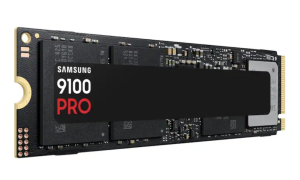
Available in capacities of up to 8TB, this series provides ample space for high-resolution media, AAA games, professional applications, and extensive project files. Its compact M.2 2280 form factor ensures broad compatibility with modern desktops and laptops that support PCIe NVMe SSDs. Designed for sustained high performance, the 9100 PRO features innovative power and thermal management to maintain optimal operating temperatures during demanding workloads. Integrated hardware encryption helps safeguard sensitive data, providing enhanced security without compromising performance.
How To update Samsung 9100 PRO Firmware
Use Samsung Magician Software (Recommended)
- Install the latest version of Samsung Magician Software. Download for Windows and Download for macOS
- Launch Samsung Magician.
- Select your Samsung 9100 PRO PCIe 5.0.SSD, Click Firmaware Update (SSD must be connected from NVMe Slot)
- If a newer firmware is available, you’ll see an Update button.
- Click Update and follow the prompts.
- Restart your computer when prompted to complete the Samsung 9100 PRO firmware installation.
Note: Before updating, back up any important data and close all other applications. Make sure your laptop is plugged into AC power.
There is no ISO file for Samsung 9100 PRO Firmware, If you have a question, you can reach us from the comment section.