
Samsung MultiXpress CLX-9251NA Driver and User Guide
The Samsung MultiXpress C9251 Series is a business-class A3 color laser multifunction printer (MFP) designed for medium to large workgroups. It combines printing, copying, and scanning capabilities in a single device, with fax functionality available as an optional feature depending on the configuration. Standard paper capacity is 1,140 sheets, which can be expanded to a maximum of 2,180 sheets using optional paper trays. The output tray can hold up to 500 sheets.The printer supports media sizes up to A3 (11 × 17 inches), making it suitable for offices that require large-format documents and high-volume output.
This Samsung CLX-9251NA delivers print and copy speeds of up to 25 pages per minute (ppm) for both color and monochrome documents. It produces a first page in approximately 9.5 seconds for black-and-white printing and 11.5 seconds for color printing. Print quality reaches an effective resolution of up to 9,600 × 600 dpi, while copy resolution is up to 600 × 600 dpi. Automatic duplex printing is included as a standard feature to help reduce paper consumption. For document digitization, the printer features a 100-sheet duplex automatic document feeder (ADF) that enables efficient double-sided scanning. It offers an optical scan resolution of up to 600 × 600 dpi, with enhanced resolution up to 4,800 × 4,800 dpi. Scanned documents can be sent directly to email, network folders, USB storage devices, and other supported destinations. It has a monthly duty cycle of up to 100,000 pages, making it suitable for enterprise-level printing environments.
The Samsung MultiXpress CLX-9251NA is powered by a dual-core 1 GHz processor and includes 1 GB of memory along with a 320 GB hard drive to support demanding office workflows. A 7-inch color touchscreen provides an intuitive interface for accessing printer functions and managing jobs. Connectivity options include USB 2.0, USB Host, and Gigabit Ethernet. The printer supports multiple page description languages, including PCL 5c, PCL 6, PostScript 3, PDF, and XPS, and is compatible with Windows, macOS, and Linux operating systems, depending on driver availability.
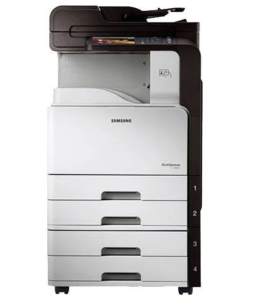
Samsung MultiXpress C9251 Series Features
Check below for technical features of the printer:
- Print technology: Color laser
- Processor: Dual-core 1 GHz
- Display: 7-inch color touchscreen
- Functions: Print, Copy, Scan (fax optional/varies by configuration)
- Print speed: Up to 25 ppm (A4, color and monochrome)
- Resolution: Up to 9,600 × 600 dpi (effective)
- First page out: Approx. 9.5 sec (B/W), 11.5 sec (Color)
- Copy speed: Up to 25 cpm
- Standard paper capacity: 1,140 sheets
- Maximum paper capacity: Up to 2,180 sheets (with optional trays)
- Connectivity: USB 2.0, USB Host, Gigabit Ethernet
- Printer languages: PCL 5c, PCL 6, PostScript 3, PDF, XPS
- Operating systems: Windows, macOS, Linux (driver support depends on OS version)
Read Also: Samsung CLX-8650ND Driver and Manual
Download the Samsung CLX-9251NA Driver and Manuals
Before downloading and installing the Samsung CLX-9251NA driver, read this printer manual to set up your printer properly.
Samsung MultiXpress C9251 Series User Guide Download
Filename: c05786231.pdf
Download the Samsung CLX-9251NA Driver
Windows driver:
Samsung MultiXpress CLX-9251NA PCL6 Print Driver Download
Filename: CLX-92x1_93x1_Series_WIN_PCL_V3.12.29.07.51.exe
File Size: 41.8 MB
Version: V3.12.29.07.51
Samsung MultiXpress CLX-9251NA Scan Driver Download
Filename: CLX-92x1_93x1_Series_WIN_Scanner_V3.31.19.13.exe
File Size: 22.6 MB
Version: V3.31.19.13
macOS driver:
Samsung MultiXpress CLX-9251NA Printer driver for MacOS Download
Filename: CLX-92x1_93x1_Mac_PrinterDriver_V1.27.00.zip
File Size: 7.4 MB
Version: V1.27.00
Samsung MultiXpress CLX-9251NA Scanner driver for MacOS Download
Filename: CLX-92x1_93x1_Series_Mac_ScanDriver_V2.31.54.zip
File Size: 50.0 MB
Version: V2.31.54